Best Aesthetic Phone and Desktop Wallpapers for a Matching Room Vibe
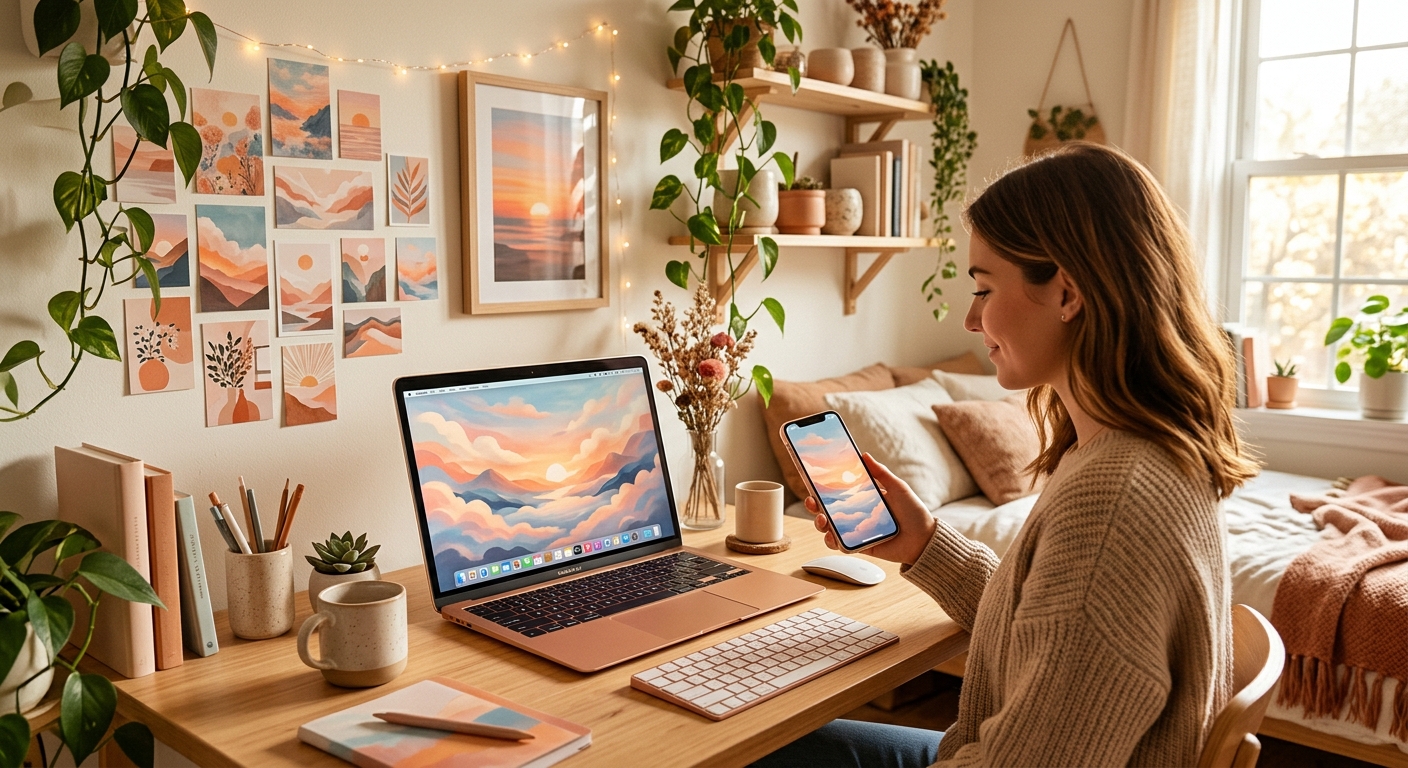
Your phone lights up beside your bed, and suddenly that bright red wallpaper feels miles away from your lavender sheets. Small clashes can make a space feel less pulled together. A matching wallpaper gives your phone, desktop and room a shared mood without asking you to replace everything you own. Pastel clouds suit a gentle corner. Neon streets fit a gaming desk. Anime-inspired skies bring character, while minimalist shapes keep things calm.
This roundup pairs eight wallpaper concepts with illustrated previews, portrait phone sizes and landscape desktop sizes. The previews show each style’s colour balance and composition. They are visual guides rather than downloadable full-resolution files. Use the resolution labels as targets when choosing your final image, then pick the version that fits your screen and your space.
Your Screen-to-Room Match: Start with two colours already present around your desk or bed. Choose a wallpaper that repeats one and uses the other as a small accent. Keep the phone version simple near the clock, and give desktop icons room along one edge. Pastel designs feel gentle, neon designs suit evening setups, anime-inspired scenes add atmosphere, and minimalist shapes work across changing decor. Matching the mood matters more than using identical images everywhere.
Pastel Wallpapers for a Gentle Room Palette
Pastels work beautifully when your room already has pale bedding, light wood or soft curtains. They also help a crowded desk feel visually quieter. Choose one main shade instead of squeezing pink, mint, peach and lilac into every corner. A little empty space makes these wallpapers easier to live with.
Lavender Clouds With Peach Light
This is a lovely pick for a lilac bedroom or a desk with peach accessories. Puffy clouds add texture without becoming busy. Choose a phone crop with open sky across the upper third, leaving the clock readable. For desktop, spread the clouds along the bottom and keep the brightest patch away from your main icon column. Cream bedding and a small lavender cushion can repeat the palette without making the room feel themed.
Mint Waves With Cream Space
Mint waves suit rooms with plants, cream walls and natural textures. The curved shapes feel relaxed, while the plain background gives app labels breathing room. A portrait version works best when the waves sit low on the screen. A desktop version can carry them across the bottom edge. Match this look with a green notebook, a pale desk mat or a plant pot you already own.
Neon Gaming Wallpapers for an Evening Desk Setup
A neon wallpaper fits a room where the desk becomes the main attraction after sunset. Deep navy, violet and charcoal give bright accents somewhere to stand out. Pick one dominant glow colour, then repeat it in your keyboard lighting or desk lamp. Too many competing colours can make the setup feel restless.
Cyan and Magenta Arcade Grid
This retro gaming look brings energy without needing a character or game logo. The grid leads your eye towards the centre, making it a strong desktop choice. Keep the phone version taller, with the sun below the clock area. Cyan lighting works neatly with a magenta wallpaper accent, but you can also use a single violet light. A dark desk mat helps the bright screen colours feel connected to the furniture.
Rainy Neon Street With Violet Reflections
A rainy street feels more cinematic than a plain neon pattern. Look for a scene with a clear path through the middle and restrained signs along the sides. On phones, vertical buildings suit the narrow frame. On desktop, wider reflections fill the landscape naturally. This style pairs with charcoal curtains, violet lighting and silver accessories. Keep small text out of the image if you want app names to remain easy to read.
Carry Your Screen Colours Into Your Room
Once you have a favourite palette, repeat it in one physical detail. Readers who want a larger change can use print wallpaper to carry their screen’s colours and mood into room decor. A lavender cloud palette could guide a gentle feature wall, while a dark violet scheme could shape a gaming corner. Match the colour family rather than copying every object in the screen image.
For a smaller budget, work with what you have. A cushion cover, desk mat or lampshade can provide the connection. Check colours in daylight and under your evening lighting before committing to a room-wide change. Start with one accent, live with it for a few days, and see whether the space still feels comfortable during homework, gaming and downtime.
Anime-Inspired Wallpapers With Space for Your Icons
Anime-inspired backgrounds can carry that familiar sense of a quiet pause before the story continues. Skies, rooftops and distant landscapes work especially nicely across phone and desktop screens. They give you atmosphere without requiring a crowded cast or a wall of detail.
Sunset Rooftop With a Distant Figure
A small figure beneath a big sunset gives the wallpaper a story while preserving open space. Choose an original scene with the character low in the frame for a phone. For desktop, placing the figure towards one side leaves room for folders. Dusty pink, muted purple and warm cream connect this style to cosy bedding or a reading corner. Avoid cropping through the figure when adjusting the image.
Moonlit Hills With a Blue Sky
This quieter choice suits navy bedding, white shelves and cool blue accents. Layered hills create depth without filling the screen with tiny objects. On a phone, leave space above and around the moon for status information. On desktop, keep the brightest area away from white icons. The scene feels especially comfortable in a room with gentle evening lighting and a mostly neutral palette.
Minimalist Wallpapers That Fit Changing Decor
Minimalist designs are useful if you change cushions, posters or desk accessories often. A restrained wallpaper can stay in place while the room shifts around it. Look for clean shapes, subtle texture and enough contrast to see your apps comfortably.
Warm Beige Shapes With Terracotta Accents
Beige and terracotta work well beside wooden furniture, cream fabric and warm lighting. Rounded shapes make the image feel less rigid than a sharp geometric pattern. Choose a phone crop with one shape entering from the bottom corner. On desktop, cluster the shapes on the opposite side from your icons. A rust-coloured cushion or notebook can echo the accent without adding much expense.
Charcoal Background With a Single Sage Circle
This pairing feels tidy and grounded. It suits black accessories, grey bedding and a few green touches around the room. The single circle gives your eye a focal point while keeping most of the screen clear. Move it lower for a phone lock screen, or towards the right for a desktop with icons on the left. Check your clock colour against the sage area before saving the crop.
Choose a Crop That Works on Your Actual Screen
The right artwork still needs the right fit. A landscape image can lose its main subject when squeezed into a portrait screen. A tall phone image may need heavy trimming on a wide monitor. Separate versions with the same palette usually look better than forcing one file onto both devices.
- Match the shape: Choose portrait artwork for phones and landscape artwork for desktops.
- Check the file size: A 4K desktop pick should provide 3840 × 2160 pixels when that is your target display size.
- Protect the subject: Keep faces, moons and focal shapes clear of clocks, widgets and frequently used icons.
- Test the crop: Preview both the lock screen and home screen before settling on a phone wallpaper.
- Keep colours connected: Repeat one main room colour and one accent across your two screens.
A resolution label describes pixel dimensions, but it cannot promise crisp artwork by itself. Check the full-size image for blurred edges or stretched details. Your device may also crop or enlarge it during setup. Give the final preview a proper look before deciding that the image fits.
A Shared Mood From Your Pocket to Your Desk
The best matching setup feels comfortable every time you use it. Choose lavender clouds for a gentle room, neon streets for a gaming corner, an anime-inspired sunset for atmosphere, or simple sage shapes for a quieter desk. Let the phone and desktop share their colours while keeping compositions suited to each screen.
You do not need a full room makeover. Start with a wallpaper pair and one nearby accent. If the colours still feel good after a week of studying, chatting and gaming, you have found a mood that belongs in your space.